Jeff Hoog Land

  • Subscribe to our RSS feed.
  • Twitter
  • StumbleUpon
  • Reddit
  • Facebook
  • Digg
Showing posts with label unity. Show all posts

Saturday, 16 February 2013

Comparison of Linux Desktops OpenGL Performance

Posted on 00:20 by Unknown
With Steam officially being released for Linux I took some time out this evening to run a few benchmarks on my Ubuntu 12.04 based Bodhi system to see how a few of the different modern Linux desktops compare in terms of OpenGL performance with the source engine. Please do not take my numbers to be anything super scientific or precise. I simply recorded a short demo using Team Fortress 2, loaded TF2 from Steam under each of the Linux desktops with no other background applications running and ran the demo through a built in source engine bench marking tool.

The benchmarks were run on my very modest gaming laptop which sports an i7 processor, 6GB of RAM, and an nVidia 330m GT graphics card. I utilized the Steam recommended nVidia 310 driver for these tests. All the desktop setups I used were "stock" from the Ubuntu 12.04 repos, minus E17 which is using the E17.1 snapshot and Bodhi's laptop profile with compositing enabled.

Lets get right to the data shall we? You all love charts I hope!


It is clear from the bar graph that E17 came out towards the top and Gnome Shell was near the bottom. Here are the numbers to a single decimal place:
  • Gnome Shell - 51.5 FPS
  • KDE   - 55.0 FPS
  • XFCE - 55.7 FPS
  • Unity  - 60.5 FPS
  • KDE, Disable Compositing on Full Screen - 63.2 FPS
  • LXDE - 66.5 FPS
  • E17     - 66.7 FPS
I was not surprised when I saw E17 and LXDE had the best performance, they are after all some of the best light desktops today. What did shock me though was that XFCE - which claims to be fairly light - was very low in terms of performance! 

Based on the above numbers XFCE performed around 17% slower than both LXDE and E17, while Unity was around 9% slower than the lighter desktops, and Gnome Shell was a staggering 23% behind.  One other thing worth noting is that KDE has a HUGE performance difference when you check the "disable compositing on full screen applications" box in your Kwin settings. In fact ignoring this setting loses you around 13% in performance:


Obviously someone should run some further tests (I know I plan to when I get some more time), but from my initial small test it is obvious - if you are looking to game on Linux your choice of desktop very clearly matters!

~Jeff Hoogland
Read More
Posted in bodhi, enlightenment, kde, linux, lxde, open source, steam, unity, xfce | No comments

Wednesday, 21 December 2011

Linux Desktop Environment Round Up

Posted on 16:02 by Unknown
A year and a half ago I did an entry entitled "Overview and Explanation of Linux Desktop Environments". Anyone that is in the technology field (or knows even a little bit about it) knows that 18 months is a like a life time in the world of tech. Today I would like to re-cap my previous post with a few additions that have been added in recent months and mention a few desktops I missed last time.

I'm going to list a good deal of desktops today, so in order to keep things organized I'm going to group them based on the toolkit they are written in.

GTK Desktops

Gnome Shell -

The flagship desktop for a number of popular Linux distributions (including Red Hat's community driven Fedora). Gnome Shell has taken a good deal of flak in recent months due to the drastic changes this release implemented compared to the previous Gnome 2 version. As of this posting the latest version of Gnome Shell is 3.2 and it looks something like this:


Gnome Shell is written in C (and some Java Script) and utilizes the GTK3 toolkit.

Mate -

This is a fairly recent fork of the code base of the older Gnome 2 desktop. With the idea of "don't fix what isn't broken" the Mate desktop sticks to maintaining the a Gnome 2 desktop experience without making drastic changes. For many Linux users it will be a familiar and welcoming experience:


Since Mate is a fork of the old Gnome 2 code base it utilizes the GTK2 toolkit. Mate is still a very new project and as such no Linux distributions use it as their default desktop currently.

Unity -

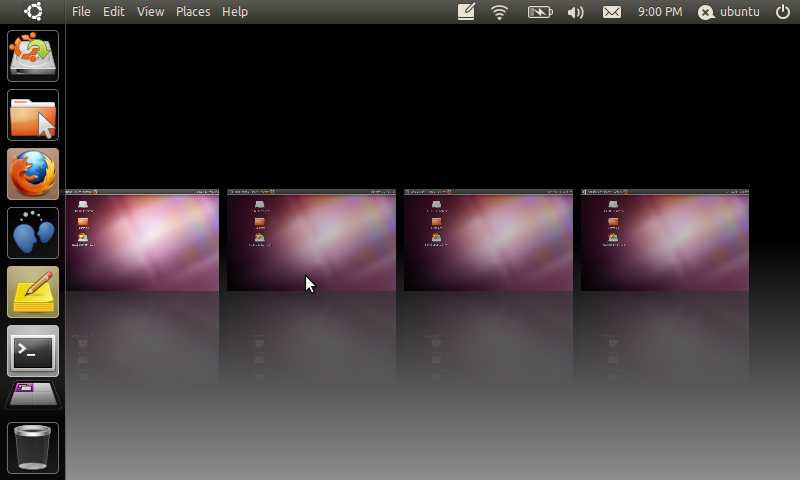
The brainchild of Ubuntu's SABDFL, Unity is a desktop also written in the GTK3 toolkit. Similar to Gnome Shell, Unity brought with it drastic change to the Linux desktop experience. Whether that change is for better or worse really depends on who you ask. The Unity desktop is fairly new, but it has gone through heavy development work in the last year due to the large testing base of the Ubuntu community and the other resources Canonical has available to them. At any rate when you first load Unity your desktop will look something like:


Unity is the default desktop for the Ubuntu Linux distribution.

LXDE -

This desktop utilizes the GTK2 toolkit and has a focus on speed. Written to be lightweight LXDE will take only a small toll on your computer's resources. One of the best things about LXDE is that all of it's pieces are fully independent. This means you can use the LXDE file manager (or any other part) under any other desktop without having to install all of LXDE with it. LXDE is a more traditional desktop setup and has a similar default layout to Windows 2000/XP:


LXDE is the default desktop of the Peppermint Linux distribution.

XFCE - 

Slightly older and more mature than LXDE, XFCE is also a desktop written in GTK2 that is designed to be lightweight. XFCE latest version as of this posting is 4.8 and it's default layout looks something like:


The primary version of Salix OS features the XFCE desktop.

Cinnamon -

This is a very new desktop. So new in fact that if you click the above link you will see it simply goes to a GITHub page. Cinnamon is a fork of the Gnome Shell code base that is going to be maintained by the Linux Mint developers. It's goal is to utilize advanced features the GTK3 toolkit while still providing a more traditional desktop experience. An early screenshot of this desktop looks something like:


This is only speculation, but since the Linux Mint team is going to be maintaining this desktop one would guess that their distribution will be using it eventually as their default desktop.

QT Desktops

KDE -

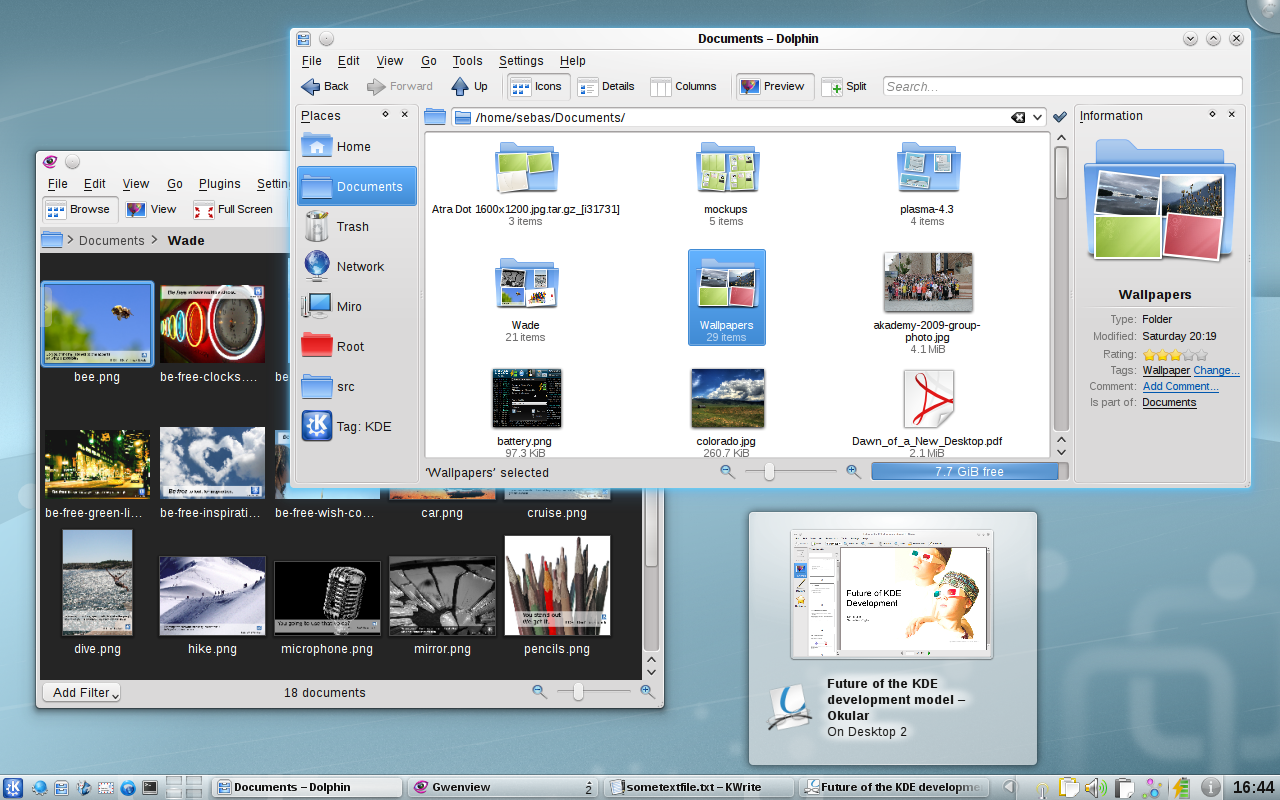
This is one of the oldest Linux desktop environments. KDE provides a full and rich user experience. KDE is modular and provides a number of widgets you can add and remove from your desktop. KDE is also fairly flexible in appearance and offers both a traditional looking desktop layout:


And a "netbook" layout that is optimized for small/touch screens:


As of this posting KDE's latest stable release is 4.7. In my opinion Chakra Linux provides one of the best KDE experiences to date.

Trinity -

The Trinity desktop does for KDE's older 3.5 release what the Mate desktop does for Gnome's 2.x series. It's goal is to simply maintain the old desktop, fix bugs and keep it functional. The latest release as of this posting is 3.5.13 and it looks something like this:


At this current point there are not any Linux distributions that use Trinity as their default desktop.

Razor -

Sometimes called "Razor QT" is what I would call the "LXDE" of QT desktop environments. It aims to be modern and functional while still maintaining a light weight status. This is also a fairly new project as far a software goes (currently only at a 0.4 release), but it is functional. Currently it's default desktop looks fairly close to this:


As of yet there are no Linux distributions that use Razor QT as their default desktop.

EFL Desktop

Enlightenment -

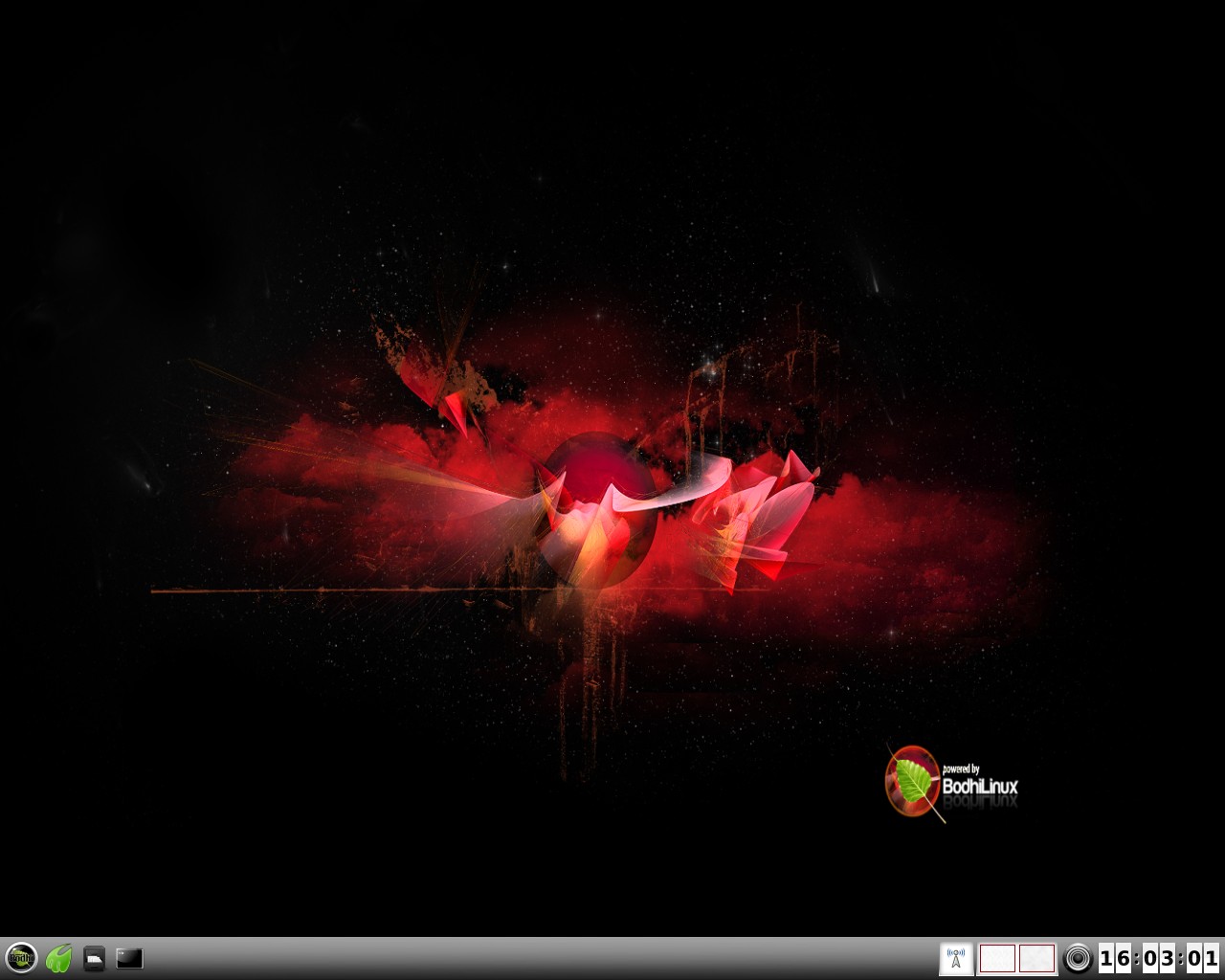
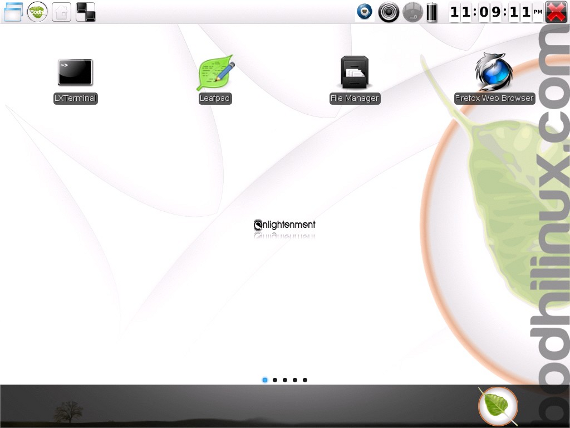
E17 or Enlightenment is currently the only desktop environment based on the EFLs (Enlightenment Foundation Libraries). E17 is currently under heavy development (and thus lacking some features), but in it's current state it is fast, flexible and stable. E17 is a modular desktop that is highly customizable. It can have a more traditional desktop layout:


Or one that is more optimized for a touch screen: 


Bodhi Linux is a distribution that features Enlightenment as it's default desktop.

Window Managers

Beyond the various desktops, there are a number of Window Managers that can be used either in combination with the above desktops or on their own. I am only going to talk about one of these Window Managers today, but you can find a fairly good list of them here.

Openbox -

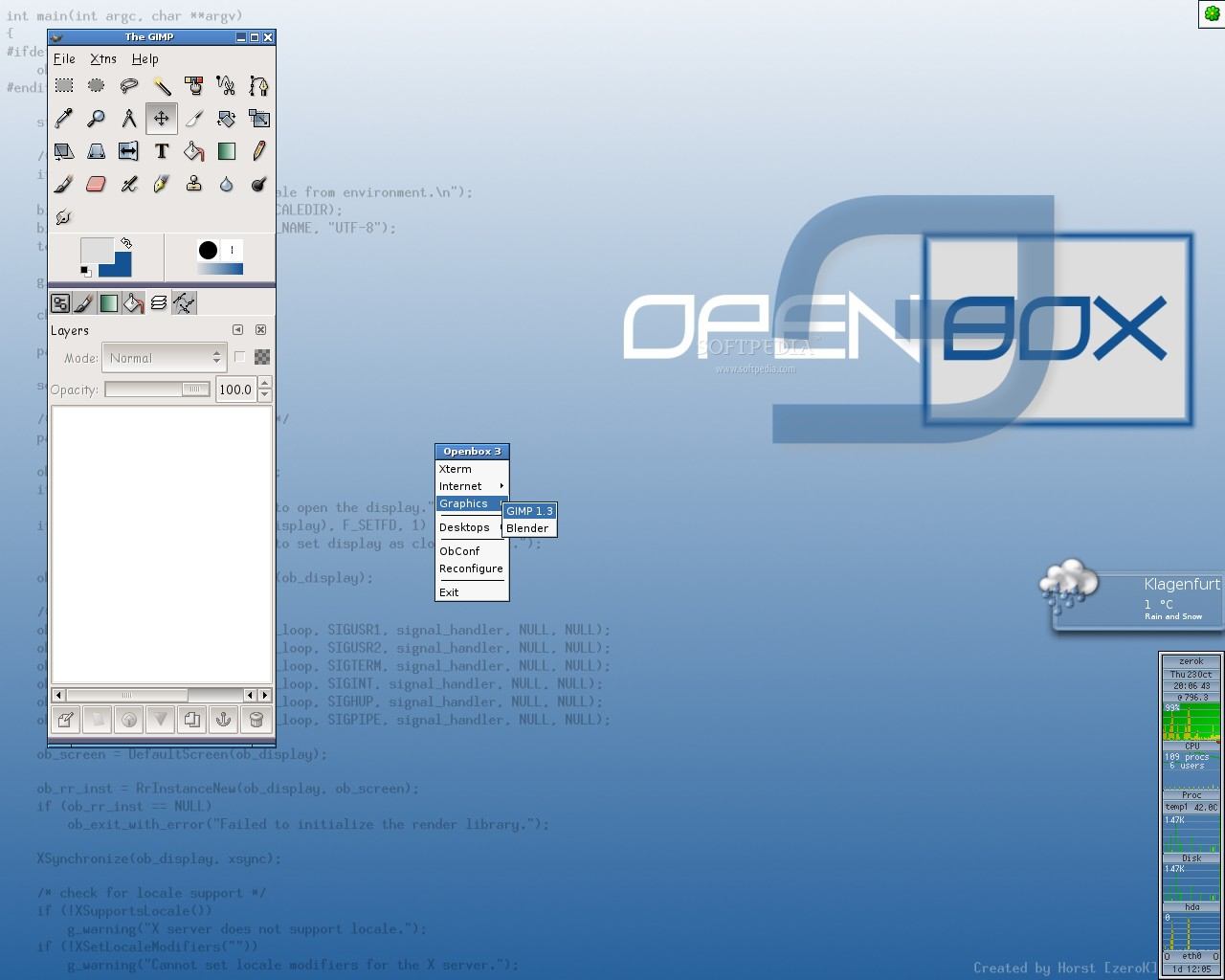
The Openbox Window Manager is easily the most popular Window Manager to date. It is favored due largely to how fast it is. It is recommended for use with both the LXDE and Razor QT desktops. Openbox is fairly flexible though and can be used all on it's own. If you are using pure Openbox it can look like a variety of things including:


ArchBang is a Linux distribution that utilizes just the Openbox Window Manager.

Follow Up

Which desktop is right for you will vary based on your needs. The best piece of advice I can give is try a few different ones out before settling on one. Hopefully you learned as much from reading this as I did from writing it. I believe I covered at least a small bit about each of what I believe to be all of the most important/major desktops. If I am missing anything or you would like to add something feel free to do so by adding a comment below.

Cheers,
~Jeff Hoogland
Read More
Posted in enlightenment, gnome, kde, open source, reviews, software, ubuntu, unity | No comments

Monday, 31 October 2011

Shuttleworth Misses the Point Yet Again

Posted on 15:47 by Unknown
I caught an article on Lxer.com entitled:

"Shuttleworth: Linux Power Users Aren't too Cool for Unity"

There are a number of quotes in the article from the originator of the Ubuntu Linux distribution, Mark Shuttleworth, that clearly attest to the fact he is completely missing what so many people find wrong with Unity. He starts with an completely misplaced "fact" for which he does not provide any backing:

"There is a bit of a myth that power users don't like and aren't interested in usability and ease-of use," 

Who ever said this? I've been using Linux for more than a few years now. I read many a different FOSS news wires and never before have I seen this idea thrown around. Perhaps there was an article or two I missed on this topic... At any rate Shuttleworth is going to continue digging a hole for himself:

"There is going to be a crowd that is just too cool to use something that looks really slick and there is nothing we can do for them,"

I can't speak for everyone, but I can at least speak for myself. I am not "too cool" to use something that looks "slick" (I mean comon, have you seen Enlightenment). 

What I'm not about to use though is something that was clearly designed for a touch screen on my computer that has a 15+inch monitor driven by a keyboard and mouse. I'm not about to use something that is resource greedy. And I most certainly not about to use something that makes most all the choices for me about how my desktop should be laid out. I'm the one that is going to be using my computer - so how about I get to choose how the GUI works best for me?

I know everyone is bound to have one of those "open mouth insert foot" moments at one point or another, but Shuttleworth's blatant disregard for why users dislike Unity is just shocking to me. 

~Jeff Hoogland
Read More
Posted in open source, ubuntu, unity | No comments

Saturday, 17 September 2011

Something Gnome3 and Unity could Stand to Learn from Windows 8

Posted on 14:19 by Unknown
I've mentioned a few times now that I don't understand this touch infatuation technology has developed in recent years. What ever the reason, there is no doubting this technology is going to be around for some time. In the Linux world the releases of the Gnome 3 and Unity desktops have been pushing a touch-geared interface not only to touch-screen devices, but also the large screen of your home PC! Mac's OSX followed this line of thinking and it appears Microsoft's Window 8 will be no different:

Windows 8 Default Interface

It is still early, but there appears to be one important detail that Microsoft is getting correct that Gnome 3, Unity, and OSX all seem to have failed at.

They are making it easy to switch to a classic desktop.


If Microsoft's choke hold on the market still is any indication we should all know end users are very resistant to change. Up and redesigning the entire desktop experience because you think it is "for the best" is not about to win you any awards. 

Sure Ubuntu 11.04 has a "classic desktop" login, but this will be removed in the 11.10 release. Sure Gnome 3 has a "fall back" mode, but you have to dig through settings to get to it and calling it "fall back" makes it sound like something is wrong with your computer if you are using it (which is half true as it is intended for use on systems that lack 3D acceleration). Not to mention this fall back mode supports far less options than Gnome 2 had, but then Gnome 2 also had less customization than Gnome 1, smell a pattern anyone?

So please, Gnome 3 and Unity developers (heck even OSX) take a hint from Windows 8 (because you sure as heck haven't taken any hints from Enlightenment) and make a stand desktop configuration option a priority - not an after thought.

~Jeff Hoogland
Read More
Posted in gnome, linux, open source, operating systems, unity | No comments

Monday, 27 June 2011

Hacking to make things Usable

Posted on 10:30 by Unknown
I've noticed a disturbing trend occurring with software. Until recent months it was largely limited to closed source software such as iOS, but today we see it even in the FOSS world.

Users hacking at locked down software just to get the functionality out of it they need.

It amazes me that the faithful masses continue to do work for projects that try to undermine them at every turn. Apple users have been doing this for a long time. They buy iPhones, iPads, iPhails and "jail break" them to get around the locks imposed by the creator. They spend their time creating new an innovative programs, only to have them get rejected and then later stolen by Apple.


Something that troubles me greatly is that we have seen similar things start to happen in the world of open source with the releases of the Gnome 3 and Unity desktops. Maybe I am just used to the flexibility the Enlightenment desktop offers, but I am disturbed by the number of "tutorials" and "extensions" I have seen being written for these new desktops just to accomplish basic tasks.

I caught a post the other day that detailed all the things the Gnome 3 developers have decided their users no longer need. It is fully within the Gnome/Unity developers rights to make such choices. However it baffles me that their users continue to stick around and write "hacks" instead of moving onto another desktop where their valuable work would be appreciated and could eventually be accepted upstream. Are people so afraid of change they would rather continue to have their ideas treated poorly rather than move on to something different?

~Jeff Hoogland
Read More
Posted in apple, gnome, open source, software, unity | No comments

Tuesday, 19 April 2011

Thoughts on the Unity Desktop

Posted on 07:16 by Unknown
Ubuntu's 11.04 release is now on the horizon and unless you have been living under a rock then you know that their big change is going to be the move to the Unity desktop. Personally I found this move to be odd when I first heard it, I mean after all it was Ubuntu that allowed the Gnome desktop to initially take off and beat out the KDE desktop. There have been piles of different articles about Unity, so I'm not going to bore you with the same details you can find lots of other places.

My question is this - Was this second project necessary?

I understand Ubuntu wanted to get away from the old Gnome 2.x desktop, but so did Gnome! Now I could see the need for another GTK desktop still if the two groups had two radically different ideas, but from what I have seen, read, and used they are fairly similar -


They both use GTK (although Unity is using the older GTK2). They both share so many common traits I have to wonder if both parties would have been better served with Ubuntu simply investing itself into Gnome 3 instead of creating something completely new.

I've mentioned my next idea once before and it seems my thoughts are still relevant nearly a year later. How much of the desktop does Ubuntu feel it is necessary to lock down in the name of user friendliness? I came across a HOWTO on Lxer.com the other day describing how to re-enable a full system tray in the Unity desktop. The fact that a HOWTO for this even needs to exist, makes me question the direction Ubuntu is headed in. If they continue down their current path, I have no doubt their days as the top dog of desktop Linux distros will be numbered.

You know what they say in the FOSS world though, if you don't like - FORK. Just this has been done to Ubuntu countless times, however I think with this upcoming Unity release it will be a chance for some of these other derivatives to really shine. Both Linux Mint and PinguyOS have stated they plan to stick with a more classic Gnome desktop for their 11.04 releases - so those facing shell shock over Unity will know where to turn to.

What are your thoughts on these newly created desktops? Needed change or unnecessary evil?

~Jeff Hoogland
Read More
Posted in gnome, software, ubuntu, unity | No comments
Older Posts Home
Subscribe to: Posts (Atom)

Popular Posts

  • Twenty Sleek GTK Themes for your Linux Desktop
    Last month I posted about twenty two different icon sets you could use to class up your Linux desktop. Today I would like to share with you...
  • HOWTO: Start an SSH Session from ChromeOS
    My lovely fiance knows how much I love my toys and opted to get me one of the new ARM based Chrome books as an early Christmas present. I...
  • HOWTO: Bodhi Linux on Samsung ARM Chromebook
    The battery recently died in my old Asus Netbook which gave me some fire to finally get together a functional filesystem for the Samsung Ch...
  • Lenovo Multimedia Remote (Keyboard/Mouse) Review
    Whenever I am working on something, be it homework or one of my various tasks for Bodhi I almost always have the TV on in the background. I...
  • HOWTO: Test E18, EFL 1.8.0, and Terminology 0.4.0 on Bodhi Linux
    As of this past weekend the testing builds of the Enlightenment window manager DR18 (E18 for short) are in the Bodhi Linux testing repositor...
  • Bodhi Linux 2.3.0 Released
    After almost exactly three months since our Bodhi 2.2.0 release  the Bodhi team and I are happy to announce the next update release for our ...
  • HOWTO: Watch Netflix on Bodhi Linux
    Not being able to utilize the Netflix video streaming service has been an issue on the Linux desktop for the past few years. This is due to...
  • Bodhi Linux ARMHF RootFS
    If you've been following my blog (or my updates on Google+ ) then odds are you know I currently have my hands on two ARM devices ( plus ...
  • HOWTO: Get right to X with No Display Manager
    GDM, KDM, LXDM, LightDM - so many display managers so little time! If your not sure what a "Display Manager" does on your Linux sy...
  • Bodhi on MK802 and other ARM Updates
    MK802: Today I am happy to announce our first public Bodhi images for the MK802 Android stick: This image comes with a 3.0 kernel and it has...

Categories

  • 3g modem
  • adobe
  • android
  • appeal
  • apple
  • arm
  • art
  • asus tablet
  • benchmark
  • bodhi
  • bordeaux
  • cedega
  • chakra
  • chrome os
  • chromebook
  • cockatrice
  • codeweavers
  • comic
  • cricket wireless
  • crysis
  • cxgames
  • debian
  • dell duo
  • diablo3
  • distro review
  • dtf
  • e18
  • eandora
  • eccess
  • elementary
  • elive
  • enlightenment
  • fedora
  • firefox
  • gaming
  • genesi
  • gnome
  • google
  • google chrome
  • google wave
  • handheld device
  • hardware
  • helios
  • howto
  • html5
  • ideapad
  • interview
  • ipad
  • jolicloud
  • kde
  • l4d2
  • laptops
  • lenovo
  • linux
  • lxde
  • macbook
  • math
  • maxima
  • media
  • meego
  • milestone
  • mint
  • mir
  • mk802
  • moblin
  • n900
  • netflix
  • nexus 7
  • nvidia
  • open pandora
  • open source
  • opengl
  • opera
  • operating systems
  • palm
  • phones
  • promotion
  • python
  • qt
  • rant
  • raspberry pi
  • reviews
  • sabayon
  • software
  • source games
  • spotlight
  • sprint
  • starcraft2
  • steam
  • t-mobile
  • tutorial
  • ubuntu
  • unigine
  • unity
  • wayland
  • web application
  • windows
  • windows 7
  • wine
  • wxmaxima
  • xfce

Blog Archive

  • ▼  2014 (1)
    • ▼  January (1)
      • HOWTO: Bodhi Linux on Samsung ARM Chromebook
  • ►  2013 (22)
    • ►  December (3)
    • ►  November (1)
    • ►  September (1)
    • ►  June (1)
    • ►  May (2)
    • ►  March (2)
    • ►  February (3)
    • ►  January (9)
  • ►  2012 (57)
    • ►  December (5)
    • ►  November (4)
    • ►  October (2)
    • ►  September (1)
    • ►  August (4)
    • ►  July (9)
    • ►  June (4)
    • ►  May (4)
    • ►  April (1)
    • ►  March (7)
    • ►  February (6)
    • ►  January (10)
  • ►  2011 (107)
    • ►  December (8)
    • ►  November (8)
    • ►  October (5)
    • ►  September (14)
    • ►  August (9)
    • ►  July (8)
    • ►  June (7)
    • ►  May (10)
    • ►  April (9)
    • ►  March (13)
    • ►  February (9)
    • ►  January (7)
  • ►  2010 (122)
    • ►  December (10)
    • ►  November (8)
    • ►  October (10)
    • ►  September (14)
    • ►  August (17)
    • ►  July (10)
    • ►  June (9)
    • ►  May (14)
    • ►  April (8)
    • ►  March (7)
    • ►  February (7)
    • ►  January (8)
  • ►  2009 (27)
    • ►  December (10)
    • ►  November (7)
    • ►  October (10)
Powered by Blogger.

About Me

Unknown
View my complete profile